01
Reviewing code you didn’t write
Name what you’re checking and give it a block. At close-out you record what you verified and what you didn’t, so the next pass starts from the gap rather than from line one.
Calm productivity for developers
Give your next task a clear goal and a definition of done. Focus with a timer and music, then save your progress and where to pick up — in your browser, VS Code or Cursor.
A little structure. A clearer mind.
An hour later you’ve skimmed 600 lines, fixed two unrelated issues, and you’re not sure what you actually verified. You’re still working — the original task is just harder to see.
Give the session a clear boundary: what you’re working on, what would count as progress, and where to pick up afterward.
Without a boundary

The agent writes faster than you can review, so you skim.
You stop when you’re drained, not when the work is done.
Useful-looking detours, but the original task still isn’t done.
Stopping feels like losing progress, so you prompt for another hour.
By evening you can’t say what shipped, or what the agent did.
With NEDIO

Review in bounded blocks and note what’s left for next time.
Every block ends in a break. NEDIO never rewards working longer.
Your goal sits in the tab title, so every detour runs into it.
Stop with the next step saved. The next session starts from it.
Close-out puts what happened next to what you intended.
Room to focus
01
Name what you’re checking and give it a block. At close-out you record what you verified and what you didn’t, so the next pass starts from the gap rather than from line one.
02
Pick a block and a break, and stop when the block does. Your week counts focus time with pauses removed, so a long day and a good day stop looking alike.
03
Yesterday’s next step is today’s goal. You start from the line you left at close-out instead of re-reading a diff to work out what you were doing.
How it works
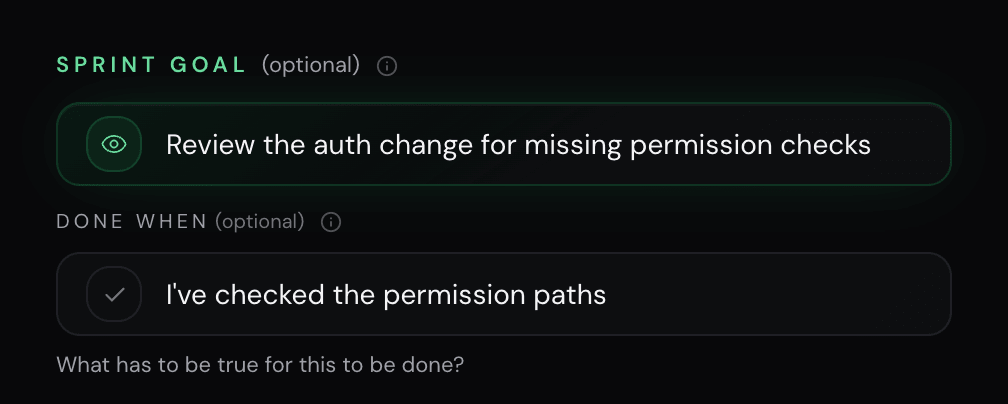
01Set up
Name one thing you want to finish. Set your timer and start with focus audio in one click.
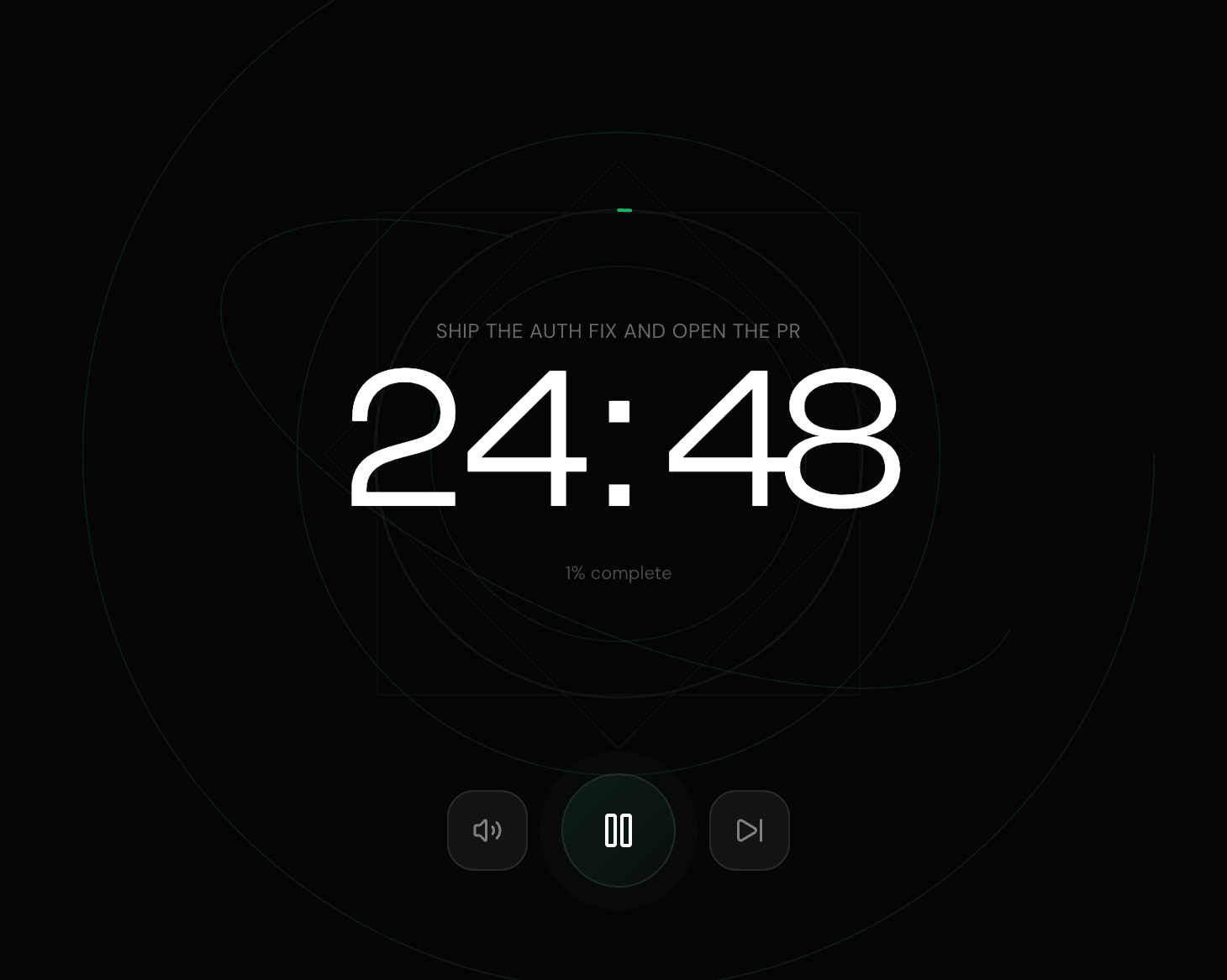
02Focus
Start the timer and focus audio. Your goal stays in the tab title or your editor’s status bar when another idea pulls you away.
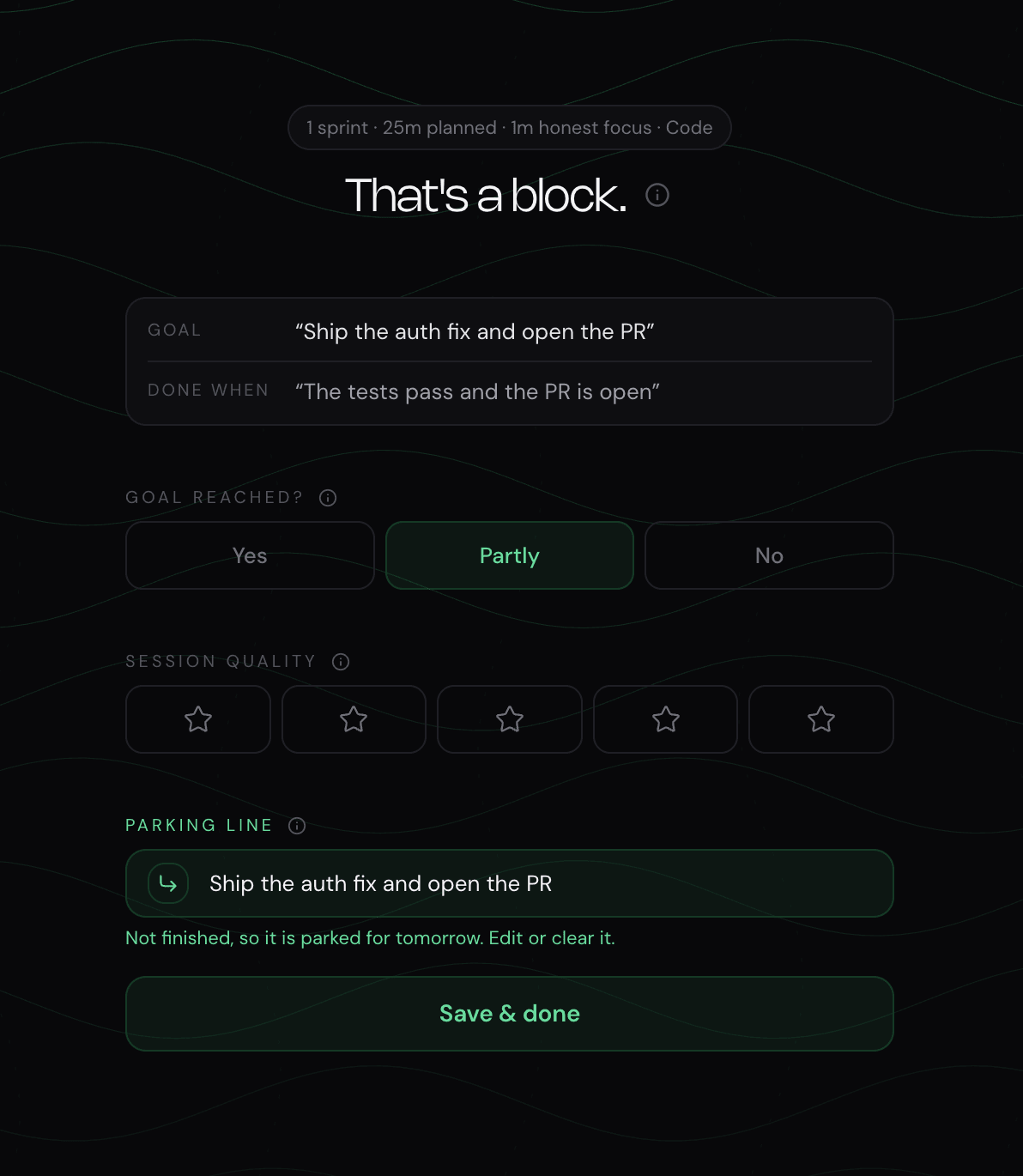
03Close out
Record what changed, what’s still open, and the next action before you leave. That’s what makes it safe to stop.
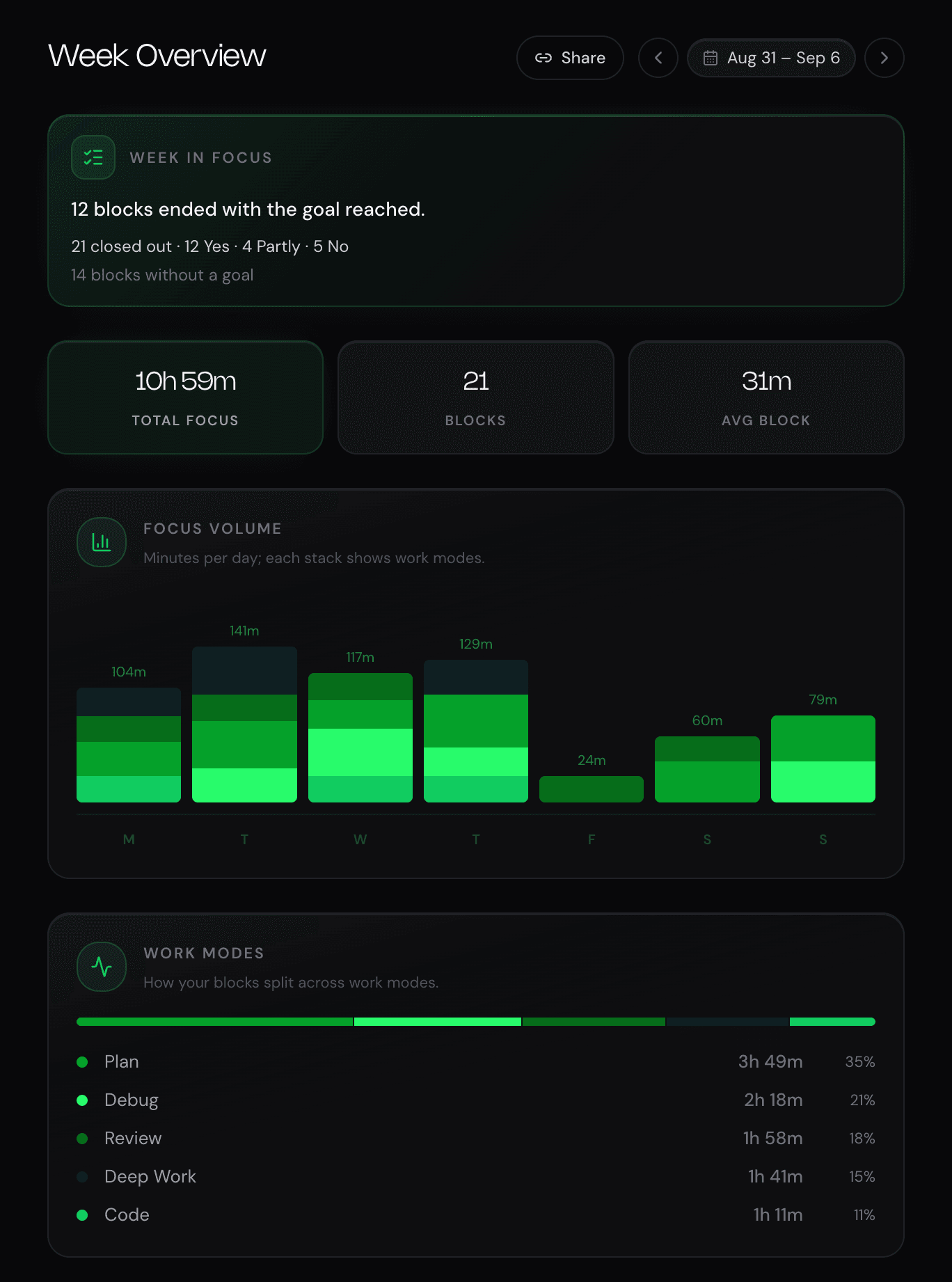
04Review your week
See which goals you finished, what moved forward, and your focus time with pauses taken out.
The session record
The task isn’t finished — and the next session still starts in the right place.
Example session
Weekly AI review
Each week, AI Review looks at your recorded sessions for patterns in the goals you finish. When there’s enough evidence, it suggests one change to try and tracks the outcomes you record. Findings need a few weeks of sessions.
Some weeks, there’s no clear pattern. You’ll get a factual recap instead.
Based on your session records. It doesn’t inspect or verify your code.
Part of Pro · see pricing
Example insight · 28 days
Goals completed
One change to test
Write what “done” means before your next sprint.
NEDIO checks later whether your goal completion improved.
Already where you work
When an agent writes part of the code, your sense of what you got done is at its least reliable. The NEDIO panel lives in your activity bar, the goal and countdown in the status bar — same history as the browser. Free.
Clear boundaries, for us too
Not file contents, file names, or repository names — in the browser or the editor.
You do. NEDIO keeps track of what you checked and what’s still open.
Focus time excludes pauses, and more hours is never the goal.
When there’s no clear pattern, AI Review says so. No manager dashboards.
A few things to know
Yes. You get 30 minutes of focus audio per day without an account, or 60 minutes per day when signed in. The timer, work modes, close-out, history and weekly statistics are not limited. When the audio budget runs out, playback pauses until it resets the next day. Pro removes the daily cap, adds timer customization, skip controls, and AI Review for $11.99/month or $119.90/year.
No. You do the code review. NEDIO helps you set the goal for a review session and record what you checked and what is still open. AI Review looks at your session history, not your code.
Only what you type into it and what it counts: goals, work modes, durations, pauses and outcomes. It does not read your code — not file contents, not file names, not repository names — including from the VS Code and Cursor extension. The Privacy Policy lists every field, and what analytics cookies do if you accept them.
Yes, and it is free. The extension puts the sprint panel in your activity bar and the countdown in the status bar, so starting a block is not a context switch. Sessions run from the editor share one history with sessions run in the browser.
A timer counts time and notes pile up somewhere else. NEDIO keeps the goal, the timer, the outcome and the next step in one record, so you can see what you meant to finish next to what you actually finished — and resume from it.
Record what you tried, what you learned, and the next step. An unfinished task still leaves a useful record for your next session.
No. You can start a sprint immediately without signing up. An account raises the daily audio budget to 60 minutes, syncs your history across devices, and keeps your sprints when you switch browsers.
Yes. The countdown is anchored to the clock rather than counted in ticks, so a background tab — which browsers throttle to roughly one tick a minute — cannot make it drift, and the audio keeps playing. The tab title carries your goal and the time left, so when you switch back, they are right there.
AI Review reads your session history once a week. A comparative claim has to clear a size threshold and a significance test before it is shown, and every claim carries the counters it was computed from. When there is a real pattern, you see it with the numbers behind it. When there is not, you get a plain recap — never a made-up insight. AI Review is part of Pro.
Every session logs quality, what you finished, and your next step in about 10 seconds at the end. Your weekly view shows honest focus time minus pauses, and how often you hit the goal you set, as counts.
NEDIO is a pomodoro timer with music for developers. It keeps one goal in view, plays instrumental coding music, and records what you finished and where to pick up — in the browser, VS Code or Cursor. Pro adds a weekly AI review of your own session history.
Yes. The sprint timer supports standard Pomodoro intervals (25/5) as well as custom durations. Pro users can configure work and break intervals to match their preferred sprint rhythm.
Playlists are passive. You pick music and hope it works. NEDIO pairs curated instrumental audio with a structured sprint timer, so you start the sprint, hear the audio, and work until the timer ends. No playlist curation. No autoplay rabbit holes.
NEDIO plays instrumental focus audio: ambient, electronic, and lo-fi tracks selected for coding. No lyrics. No ads. The goal is audio that supports concentration without competing for your attention.
One small step is enough
Choose one small step and start a free session. No account needed.
Keep exploring
Cookies & privacy. Essential cookies keep sign-in and the core features working. Optional ones help us measure usage and improve NEDIO. Privacy Policy · Cookie Policy · Do Not Sell/Share